Announcing msgvault: lightning fast private email archive and search system, with terminal UI and MCP server, powered by DuckDB
I’m thrilled to announce msgvault, a new side project I have been building over the last two months with the assistance of many coding agents and some new agentic engineering tools I created (like roborev, a continuous agentic code review system).
TL;DR msgvault is a local-first storage and retrieval engine for slicing, dicing, and querying a lifetime of email and messaging data in milliseconds. It uses SQLite and DuckDB under the hood, and operates fully locally using Parquet metadata indexes, allowing you to query millions of emails at the speed of thought. It comes built in with a slick, fast terminal UI and a just-as-fast CLI and MCP server that you can use on your terms with local LLMs, Claude Desktop, or whatever your preferred agent interface.
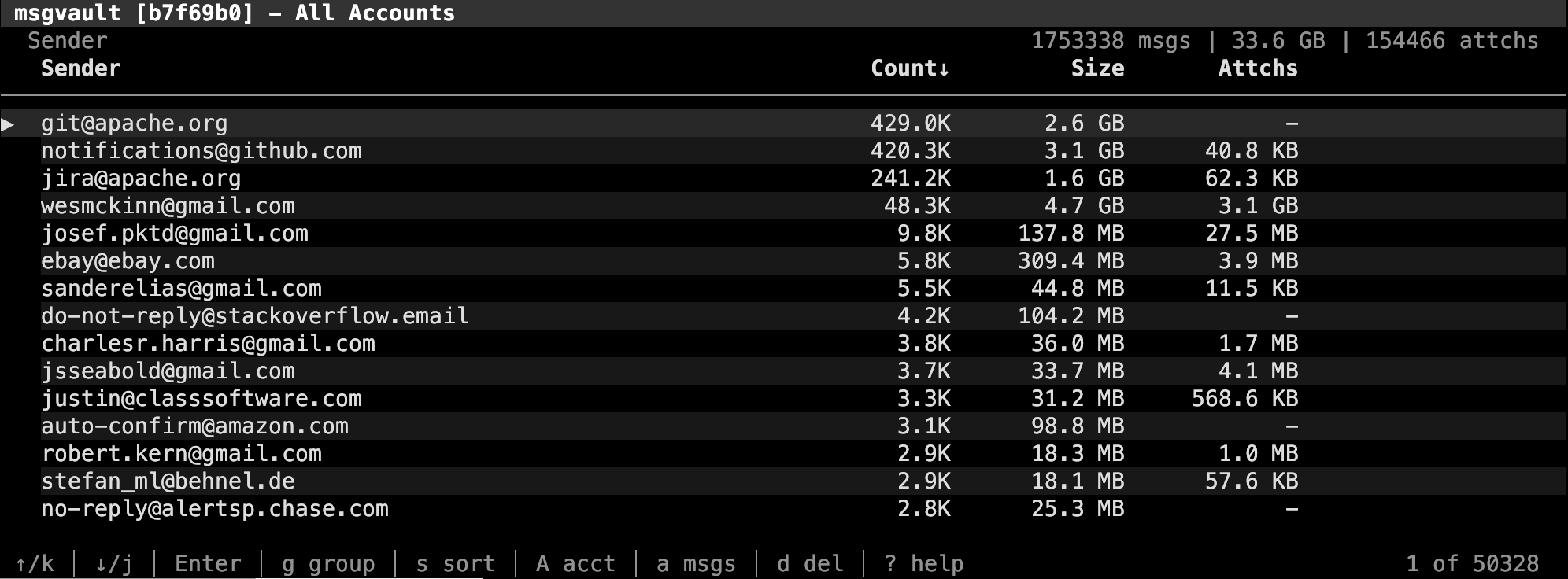
I have used msgvault to download and index almost 2 million emails and over 150,000 email attachments from my gmail.com account, which I started using twenty years ago in 2006, and it works beautifully in the TUI and in Claude Desktop. I plan to add support for importing .mbox files and connecting to other email services in the future. Additionally, I intend to extend it to support WhatsApp, iMessages, and SMS archives, to be able to have a lifetime’s worth of digital communication in one private, local, and speedy system.
The project is written in Go (obviously) and ships as a single static binary. An initial hybrid Python / Rust became a bit too tedious to develop with coding agents and the single-language Go project has been fast to develop and is easy to distribute to end users.
This is early-stage software. It has bugs and things will change. It is not “vibe-coded”: I’ve spent a large amount of tokens doing hardcore agentic engineering on this. But still: use at your own risk for now! But I’m using it daily now and motivated to make it awesome!
Background
I had gotten that feeling that Gmail as a product, like many products we use every day, had become increasingly enshittified. As a daily user for almost twenty years, with each passing year things seemed to get worse not better:
- I frequently struggle to find things in my email history, especially from more than a year or two ago. Gmail’s “semantic search” buries me with unrelated results matching one or more terms in my query. This “can’t find shit” problem is endlessly frustrating.
- Digging up old email attachments is painful and slow. As an active angel investor, I frequently need to find old documents for my accountant, and I am not diligent about downloading and filing attachments the moment I receive them (I bet you aren’t either). It turns out I have over 150,000 email attachments in my Gmail history.
Rather than improving the core product (which they have no incentive to do: see enshittification), Google has been focused on shoving AI features I don’t want in my face. I’ve always been uncomfortable with my email corpus being fodder for Google’s advertising machine, but “Would you like to use Gemini AI on your email?” feels like a special kind of hell.
For years I have been daydreaming about having a local, private archive of my email, liberating my messages and attachments from their digital prison, gmail.com. This has become especially important in the age of local LLMs: I have hardware at home for local inference, and something about giving all of my Gmail to Sam Altman and co makes me squirm. There are Gmail MCP servers and CLIs but they are slow (beholden to the Gmail API) and do not solve the lock-in problem.
Fundamentally, this is my data, and I should be able to search it in milliseconds, pull up old emails and attachments in a few keystrokes, and query my history with natural language privately and securely. Finally, in 2026, there is no reason that I should not be able to solve this problem. So I did.
How It Works
Briefly, msgvault syncs raw emails (including their attachments) from Gmail using the OAuth API and archives them in a SQLite database which is the system of record, with a sidecar content-addressed store that deduplicates email attachments by content hash. My personal Gmail takes up 39 gigabytes including over 150,000 attachments.
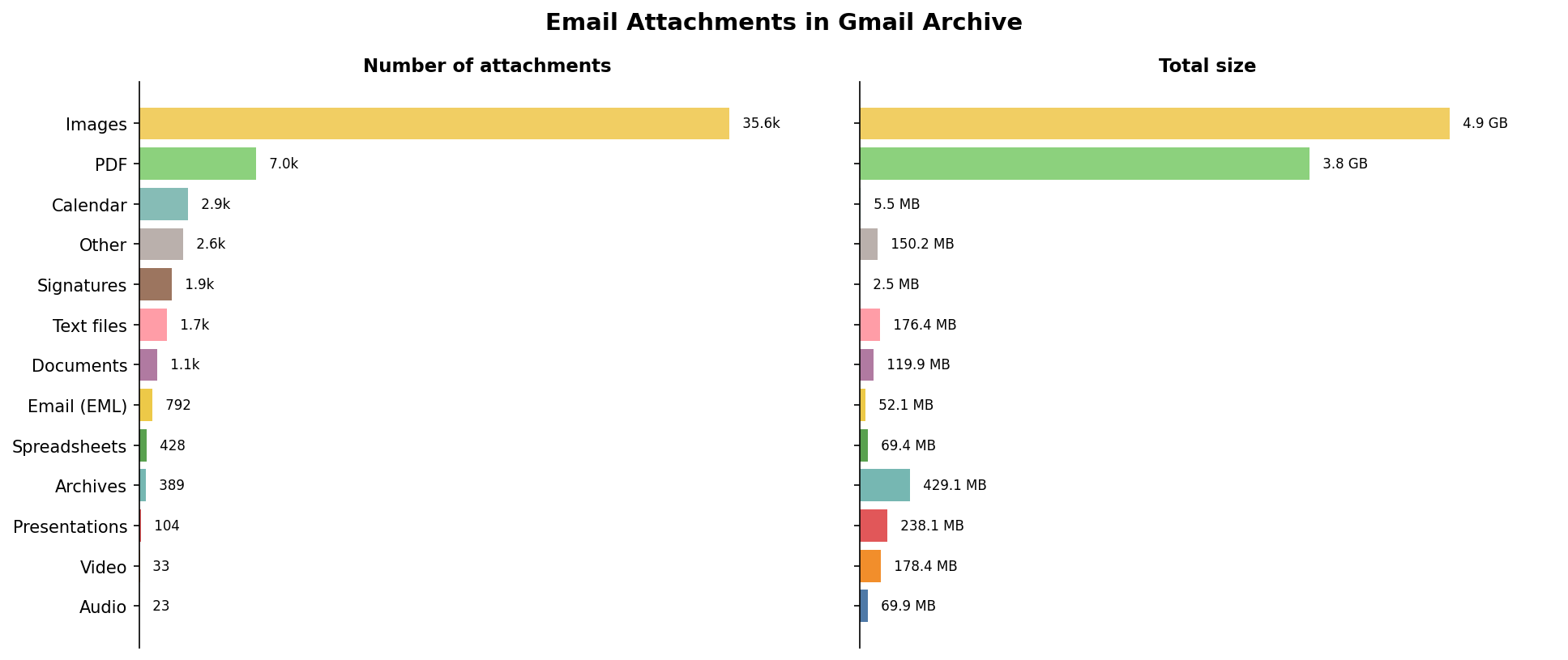
The initial sync is slow: Gmail rate-limits you, and alternatives like Google Takeout are even slower. Once you finish the initial all-history sync, incremental syncs (e.g. once a day or once an hour, which you can run as cron jobs) take a matter of seconds.
From that SQLite authoritative database, we compute Parquet files containing everything but the message bodies, then use DuckDB to power search queries in the CLI and MCP server as well as search and drill-down in the terminal UI. I am passionate about data exploration and so I think asking questions like “how many emails has dev@arrow.apache.org received each year since inception?” should only take a few keystrokes and be nearly instantaneous, and it is (this video is real-time):
Here is the full architectural diagram:
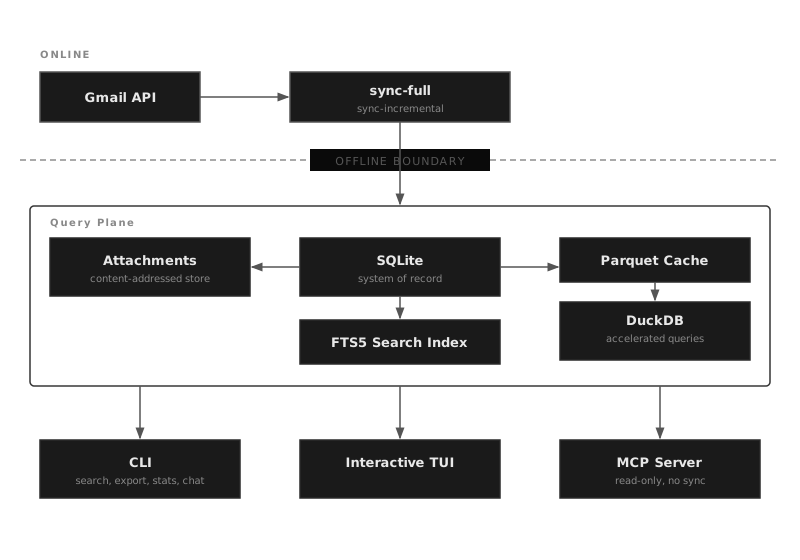
The system supports multiple accounts and email addresses, so if you have several Gmail accounts you can sync them all.
Turbocharged MCP
One of the transformative side effects of having this local email archive with low latency DuckDB-powered querying is that it is relatively trivial to expose via MCP to systems like Claude Desktop, allowing you to search and summarize your email correspondence faster than ever.
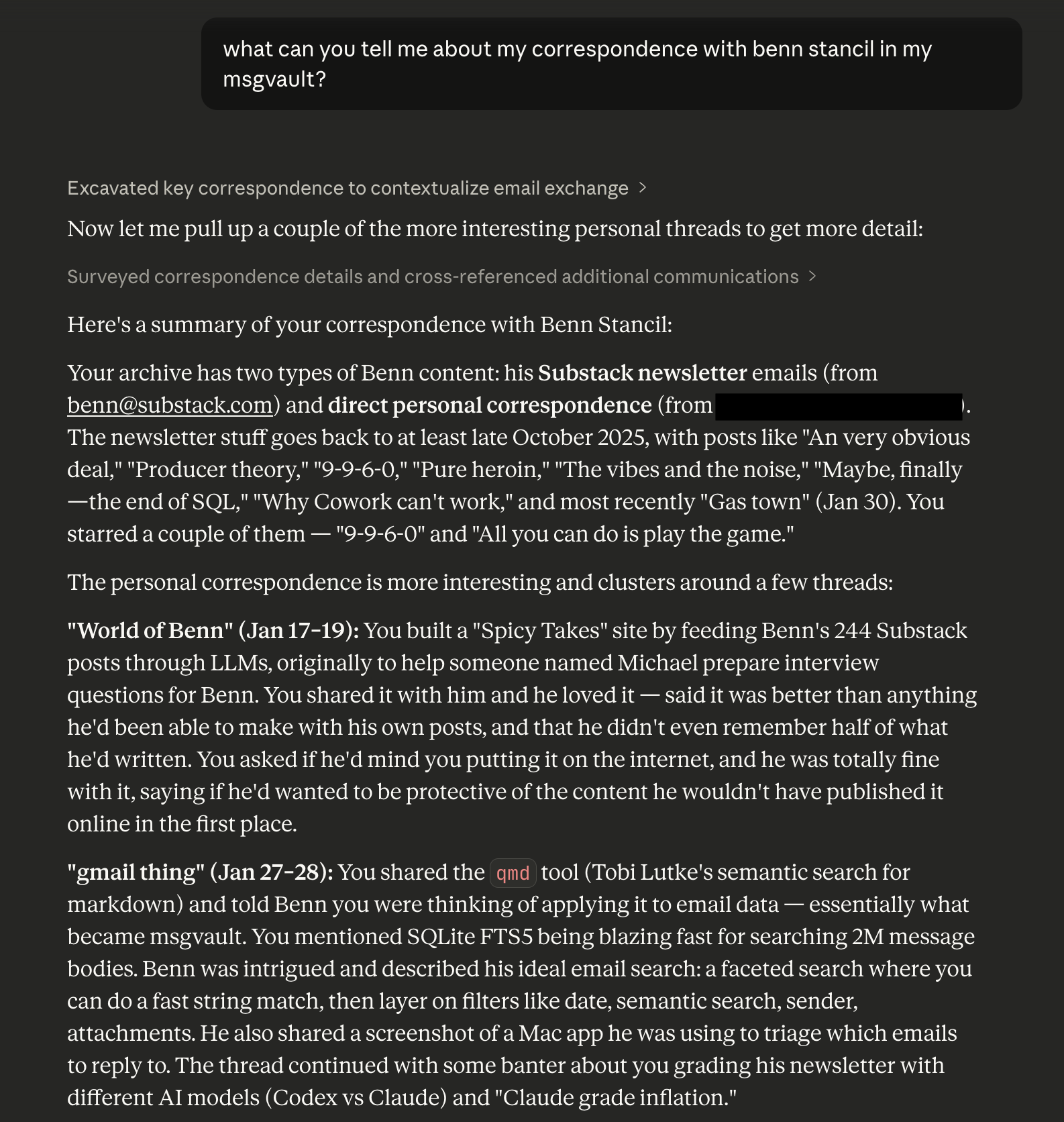
I’m sure that Gemini can do this with your Gmail, but again this is my data, I want to be able to query it and use it however I want and to not be trapped in Google’s mediocre productivity app ecosystem.
Deleting your data from Gmail (“Smells like… victory”)
I don’t think having millions of emails and over 100,000 attachments on Google’s platform is a good long-term plan, so I wanted msgvault to be able to keep its downloaded copy and permanently scrub the data from Gmail. So, in the TUI, you can mark batches of email (or individual emails) for deletion, and then run msgvault delete-staged to sync the deletions permanently to Gmail, retaining your local copy.
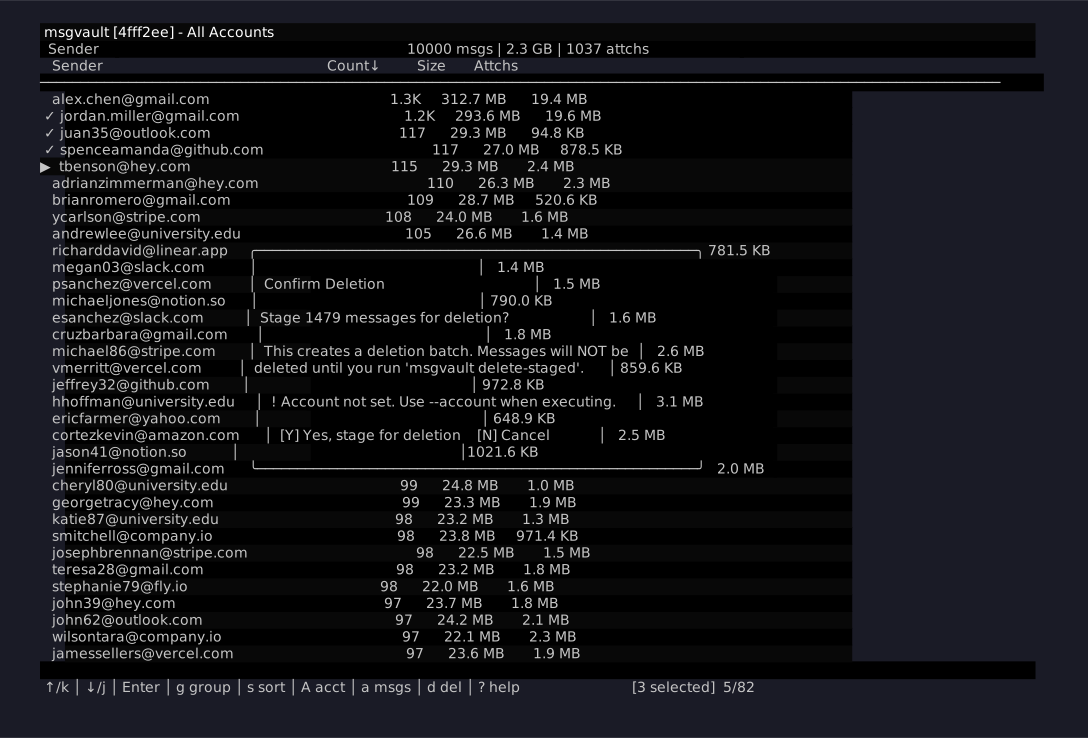
Once I get more comfortable with my home NAS and cloud backup for my 40 gigabyte msgvault archive, I plan to scrub my gmail.com account of all of its current data. My goal is to make it easier to retrieve old emails with msgvault than it ever was with the gmail.com interface or mobile apps.
Future Roadmap
Terminal UIs are nice and everything but I’m most excited about what other people might be able to build on top of msgvault. It’s a powerful foundation for AI-powered applications using your whole-life email archive.
I have lots of ideas about where to go from here:
- More than Gmail:
.mboximport and other e-mail services. - Importing WhatsApp, iMessage, and SMS archives.
- Tailscale-friendly Web UI for viewing HTML content (and for people who don’t like terminal UIs as much as I do), with a mobile-friendly version to access on your phone.
For now, check out msgvault.io to learn more about the project and come over to the GitHub repo to hack with me!